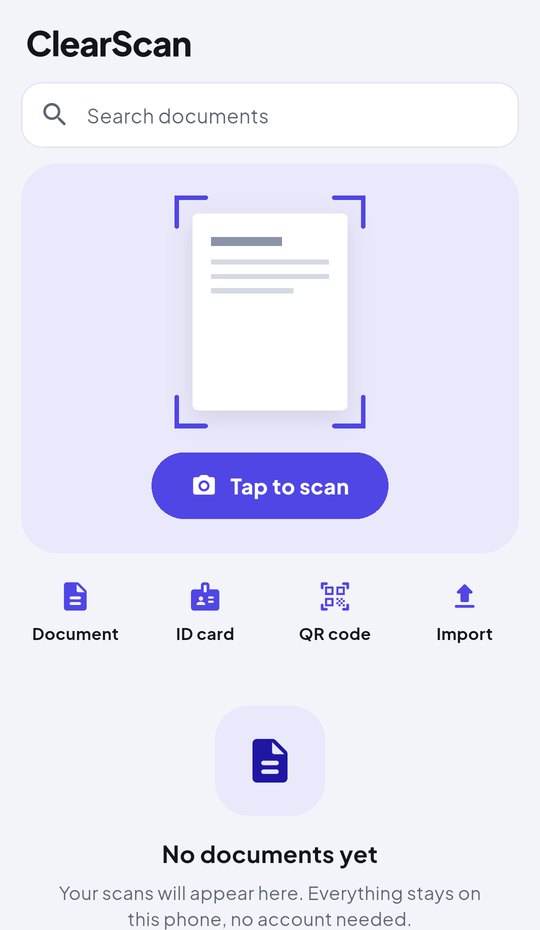
Documents, receipts and ID cards become sharp, ready-to-send PDFs in seconds. No account, works offline, and your files never leave your phone.
Everything in one app
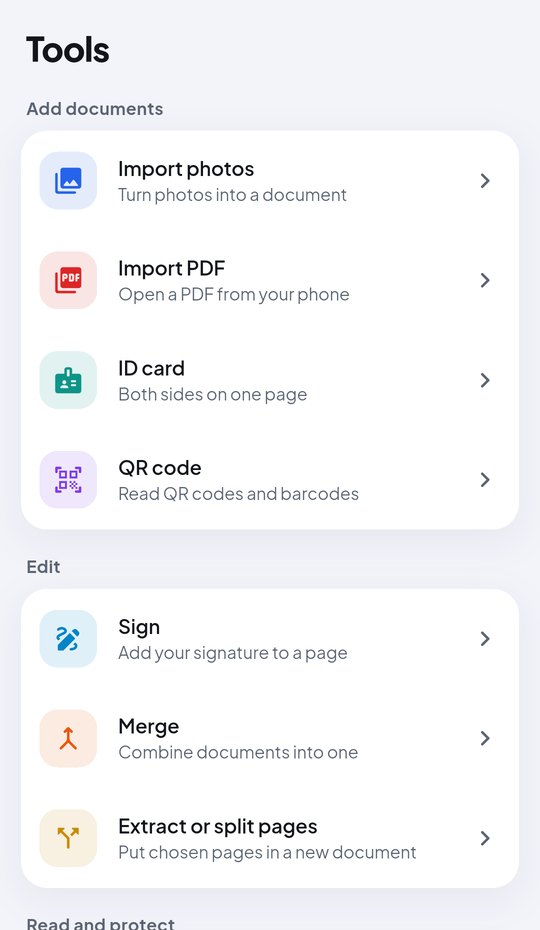
All the tools you reach for when a document needs to go somewhere, built to be simple enough to use on the first try.
Finds the page edges and straightens the page for you, so it looks like it came from a real scanner.
Front and back together on a single page, ready for any form.
Read the words on any page and copy them, in English, Hindi, Chinese, Japanese and Korean.
Draw your signature once, or take it from a photo, and place it on any page.
Combine documents, pull out the pages you need, and put them in any order.
Lock a PDF before you send it, and lock the whole app with your fingerprint.
Keep things tidy, and find any document by its name or the words inside it.
Scan QR codes and barcodes, then open, copy or share what they hold.
Send as PDF or JPG, choose the quality, add a watermark, or print straight away.
How it works
Point your camera at the page, or pick photos and PDFs you already have.
Crop, rotate, reorder pages and sign, if you need to. Most of the time you won't.
Save it to your phone, share it to any app, or print it. Done.
Private by design
IDs, bills and contracts are personal. ClearScan does all the work on your phone, so there's nothing to upload and nothing for anyone else to see.
FAQ
Yes. Every feature is free, with no watermark and no page limit. A small ad keeps it that way.
No. Your scans are stored only in the app on your phone. They leave it only when you save, share or print them yourself.
Yes. Scanning, editing, reading text and saving all work offline. The internet is only used to show ads.
English and other Latin-script languages, Hindi and other Devanagari languages, Chinese, Japanese and Korean.
They are deleted with the app, because they only ever lived on your phone. Save anything you want to keep to your phone or share it first.
Free on Google Play. Takes a minute to install and none to learn.